 Affreso
For: Finance officers
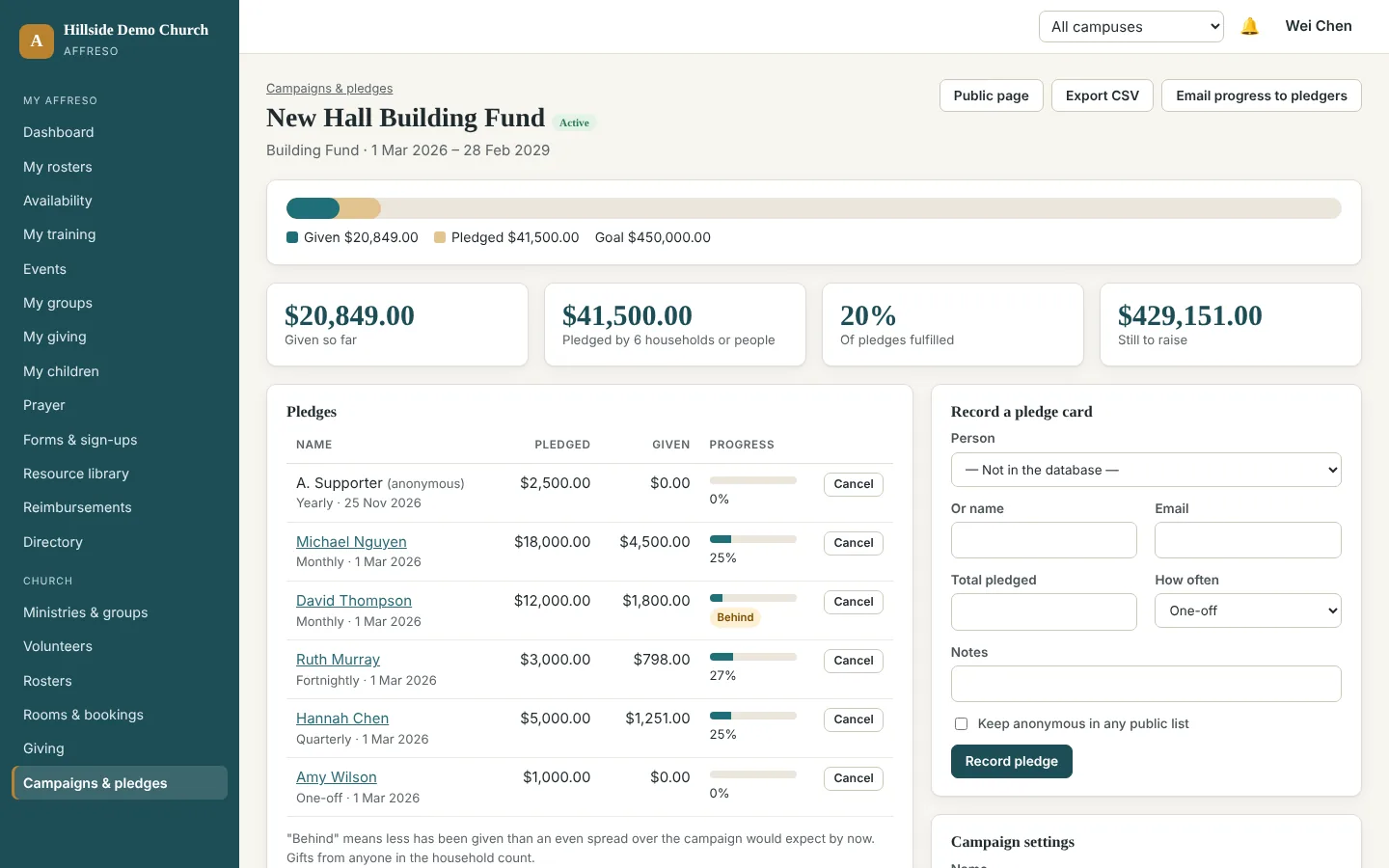
- Go to Campaigns & pledges → New campaign. Add a name, a goal, start and end dates and the giving fund gifts go to.
- Tick the option to show a public page if people should be able to pledge online.
- Use Record a pledge card for paper pledges.
- Progress comes straight from gifts to the campaign’s fund. Gifts from anyone in a pledger’s household count towards their pledge.
- Press Email progress to pledgers to send everyone a personal update.
Each pledger shows as on track or behind, compared with an even spread over the campaign. People can pledge anonymously.
Something unclear or out of date? Tell us, or try it in the demo.