 Affreso
For: Administrators and leaders
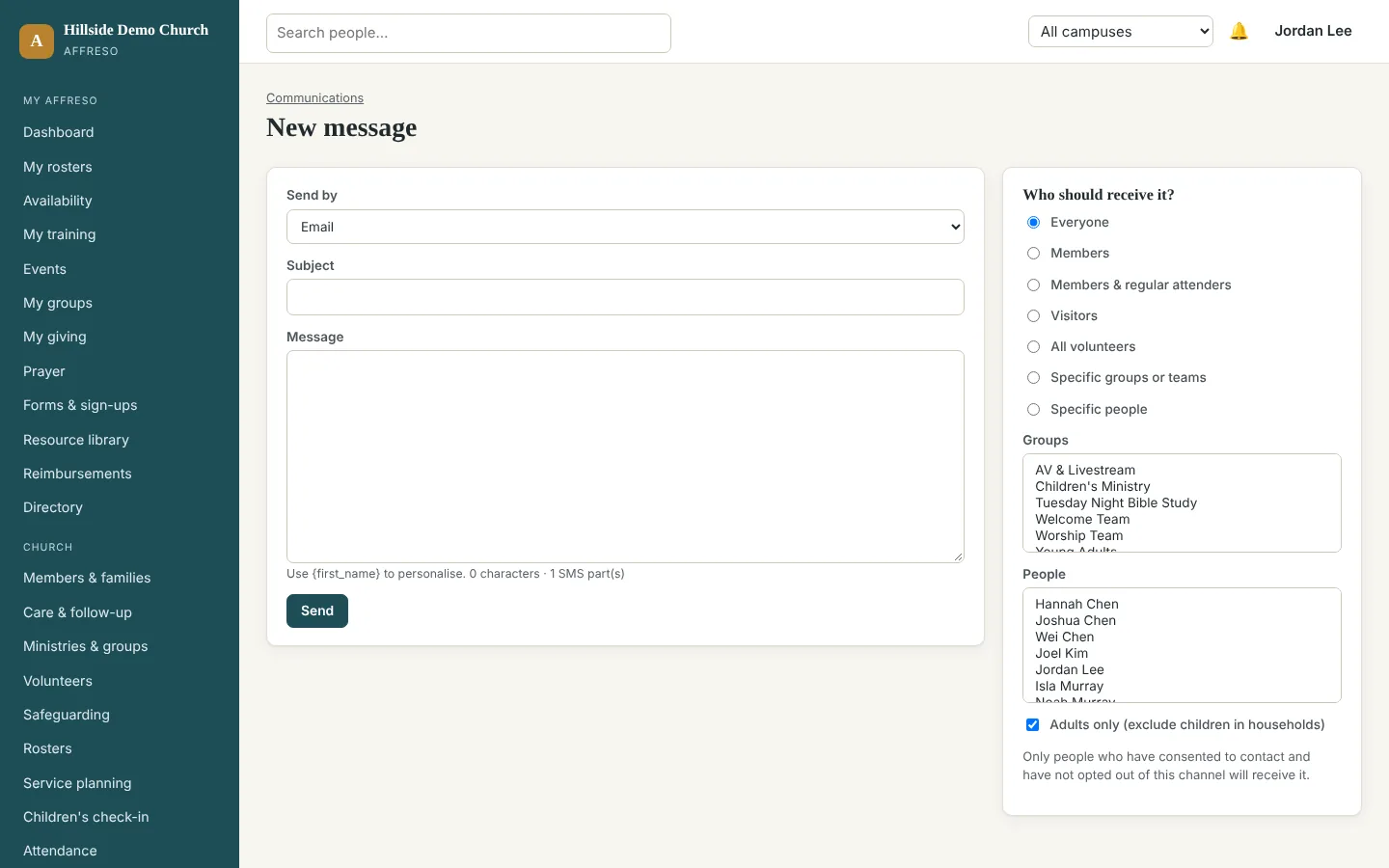
- Go to Communications → New message.
- Choose email or SMS, and the audience: everyone, members, a group, a team or chosen people.
- Write your message. Use
{first_name}to greet each person by name. - Send it. Messages are queued and sent by the scheduled task.
Only people who agreed to be contacted receive messages, and unsubscribes are respected. The delivery log shows what was sent to whom.
Announcements appear on everyone’s dashboard between the dates you choose. Mailchimp sync (in Settings → Integrations) keeps a Mailchimp audience in step with people who agreed to hear from you.
Something unclear or out of date? Tell us, or try it in the demo.