 Affreso
For: Finance officers
Set up online giving
- Create a Stripe account for your church and copy its API keys (Developers → API keys).
- In Affreso, go to Administration → Settings → Online giving and paste the keys.
- In Stripe, go to Developers → Webhooks → Add endpoint. Use the address shown in Settings, and add the events
checkout.session.completed,checkout.session.async_payment_succeeded,charge.refunded,invoice.paid,invoice.payment_failedandcustomer.subscription.deleted. - Paste the webhook’s signing secret into Affreso.
- Link to your giving page (Give online) from your church website.
Donors can give once or regularly (weekly, fortnightly or monthly) and cancel regular gifts themselves from My giving.
Recording other gifts
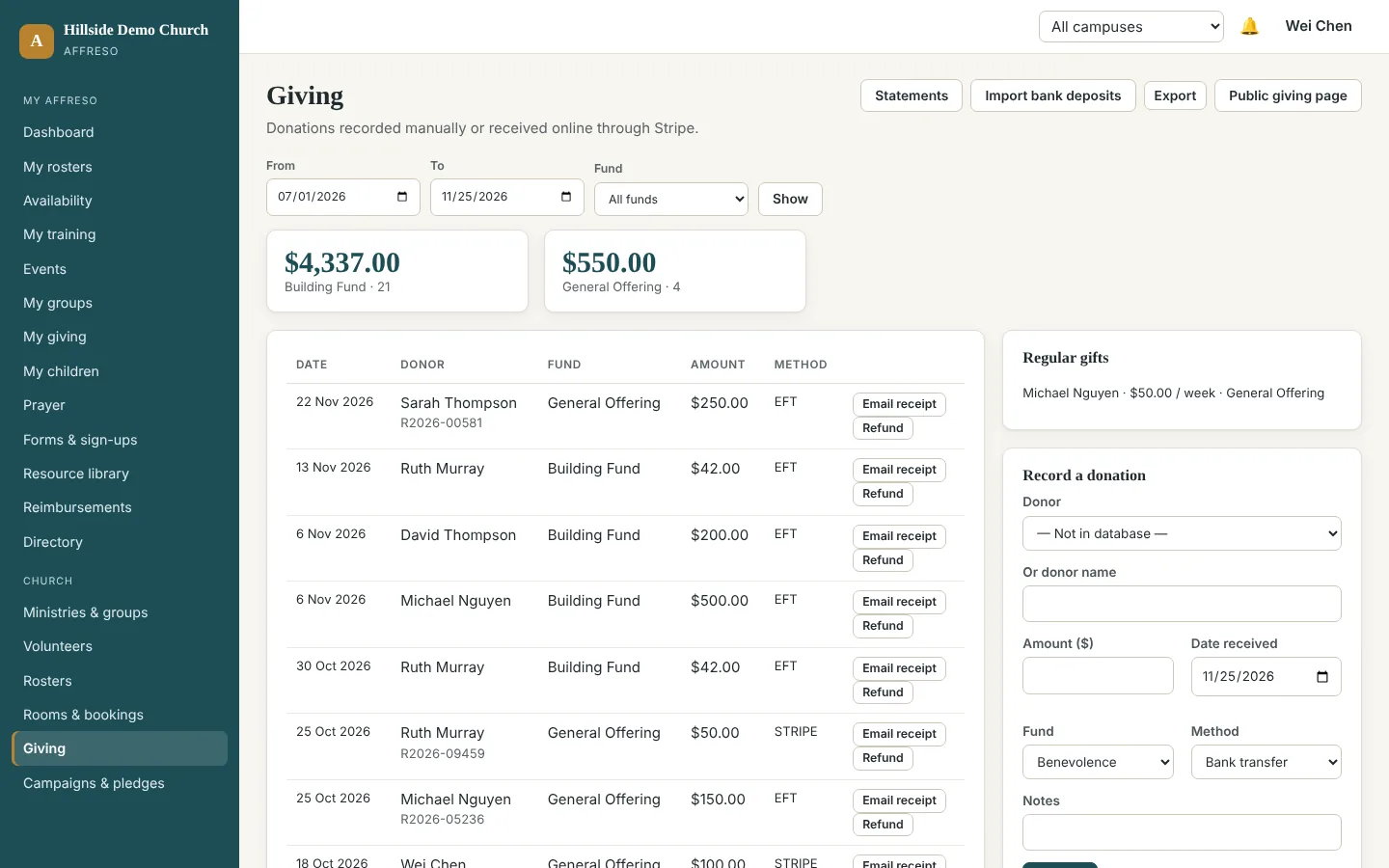
Use Record a donation for cash, cheques and bank transfers, or Import bank deposits to upload a bank CSV. Deposits are matched to people by their giving number or name.
Giving statements
Under Statements, choose the financial year and print statements or email them to every donor with an email address. Members can also download their own.
Refunds
Find the gift and press Refund. Choose Back to their card (Stripe) for online gifts, or Record only for cash, bank transfers or a mistake. The gift is reduced, so statements and reports show only what the church kept, and the donor is told by email.
Tip: Only describe gifts as tax-deductible if your church or fund has Deductible Gift Recipient status. Check with the ATO or ACNC.
Something unclear or out of date? Tell us, or try it in the demo.