 Affreso
For: Course creators, approvers and leaders
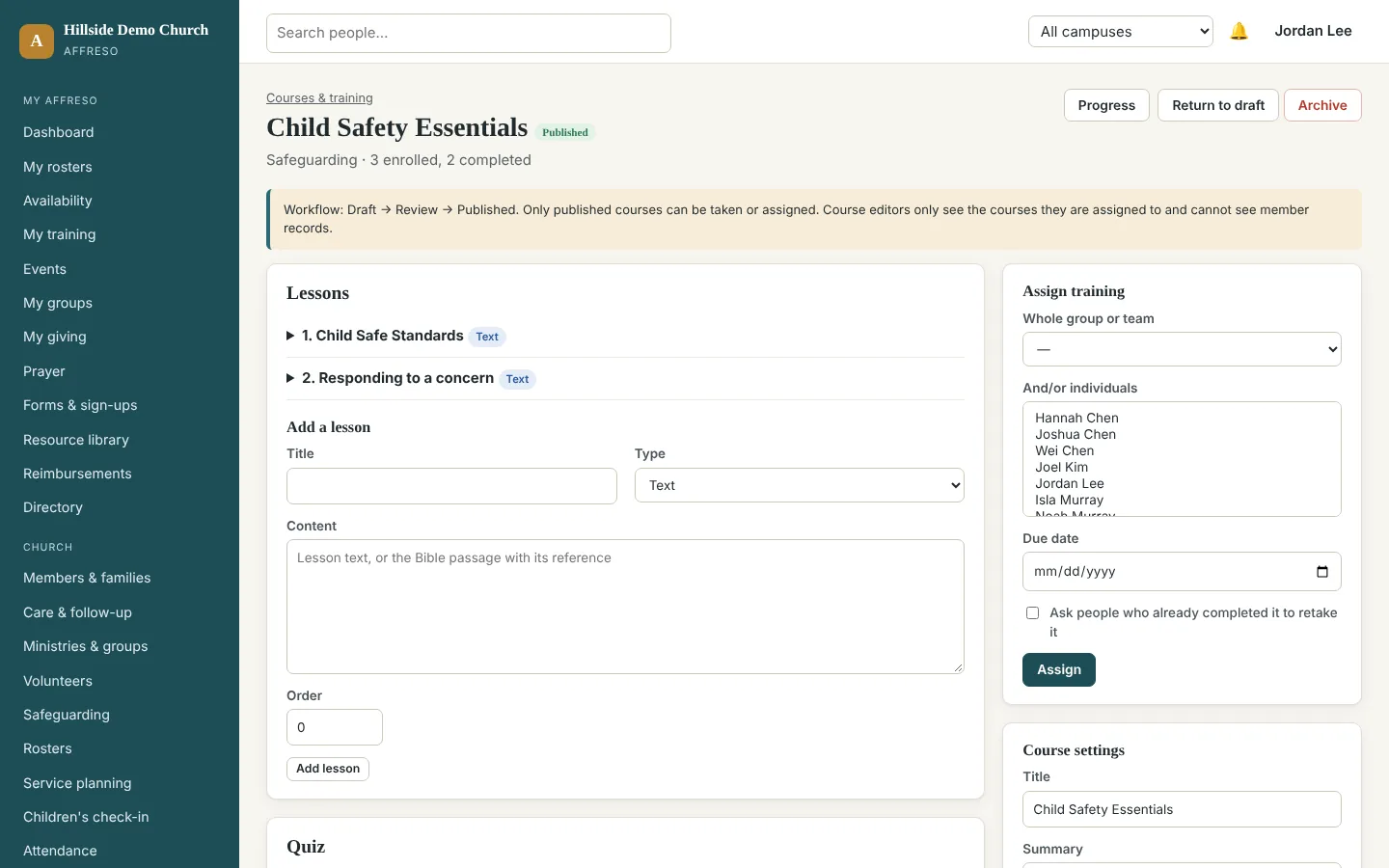
- Go to Courses & training → New course. Give it a title, a pass mark if it has a quiz, and how often it must be renewed.
- Add lessons: text, a video link, a PDF or a Bible passage. Add quiz questions with the correct answer.
- Press Submit for review. A course approver checks it and publishes it, or sends it back with comments.
- Use Assign training to enrol people or whole teams, or make the course required for a position.
People complete courses from My training. Passing a course issues a certificate with a code anyone can verify online. When training expires, Affreso asks the person to do it again and stops rostering them until they have.
Something unclear or out of date? Tell us, or try it in the demo.