 Affreso
For: Super Administrators
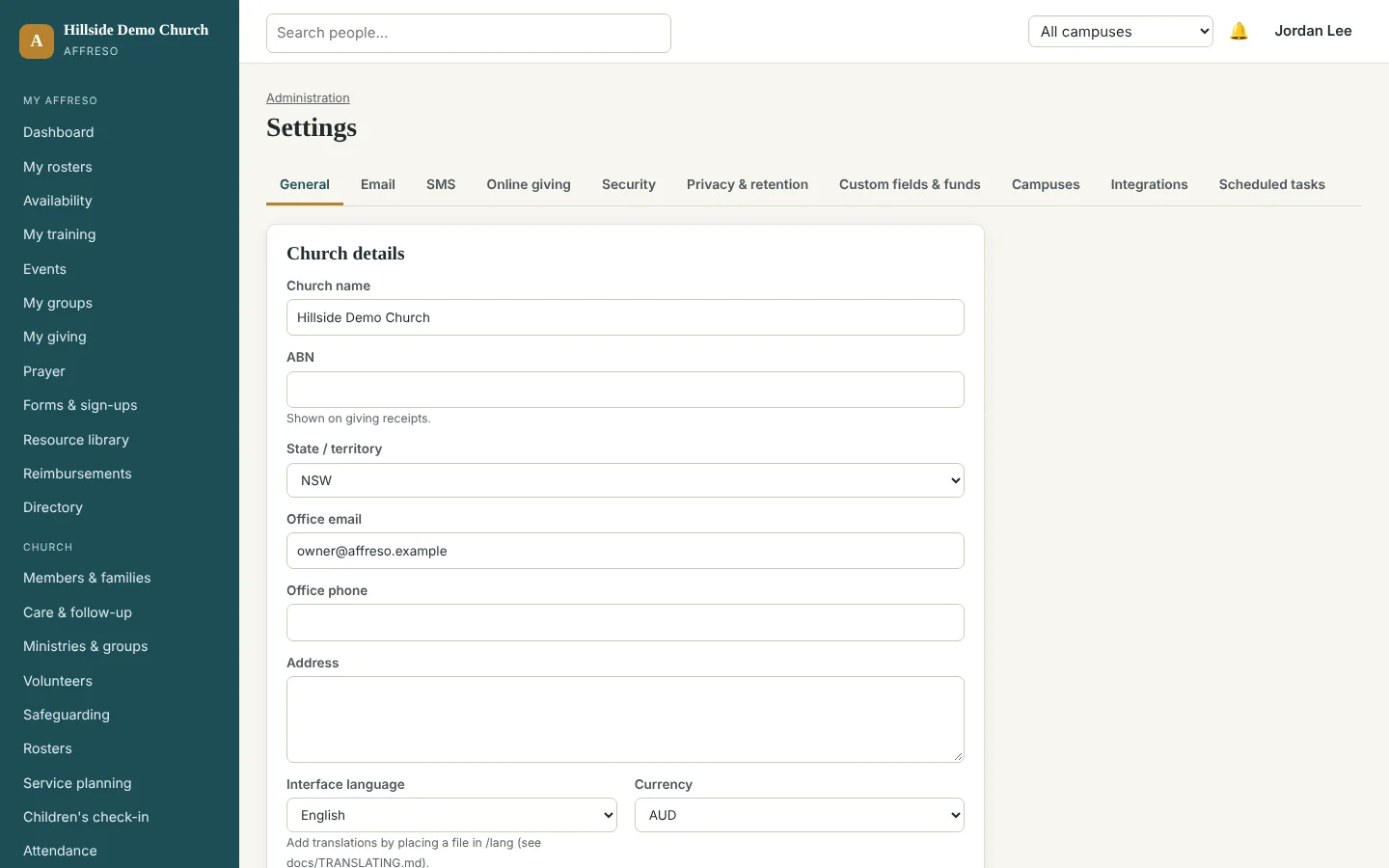
Once Affreso is installed, a little setup makes everything else easier. Work through these in order.
- Church details. Go to Administration → Settings → General. Add your church’s name, address, ABN (shown on giving receipts) and who should receive new connect cards.
- Email. Under Email (SMTP), enter your mail server. For Microsoft 365 use
smtp.office365.com, port 587; for Google Workspace usesmtp.gmail.com, port 587 with an app password. Press Send me a test email. - SMS (optional). Add a ClickSend or Twilio account to send roster reminders and messages by text.
- Security. Choose how long people stay signed in, and keep two-step verification required for sensitive permissions turned on.
- Privacy. Name your privacy officer, set retention periods and adapt the privacy policy text to your church.
- Ministries and groups. Create your teams (Worship, Welcome, Kids, AV) and small groups. Tick Child-related for children’s and youth ministries.
- People. Import your members, then invite your leaders.
Tip: Settings that hold secrets, such as passwords and API keys, are encrypted in the database and never shown again once saved.
Something unclear or out of date? Tell us, or try it in the demo.