 Affreso
For: Administrators
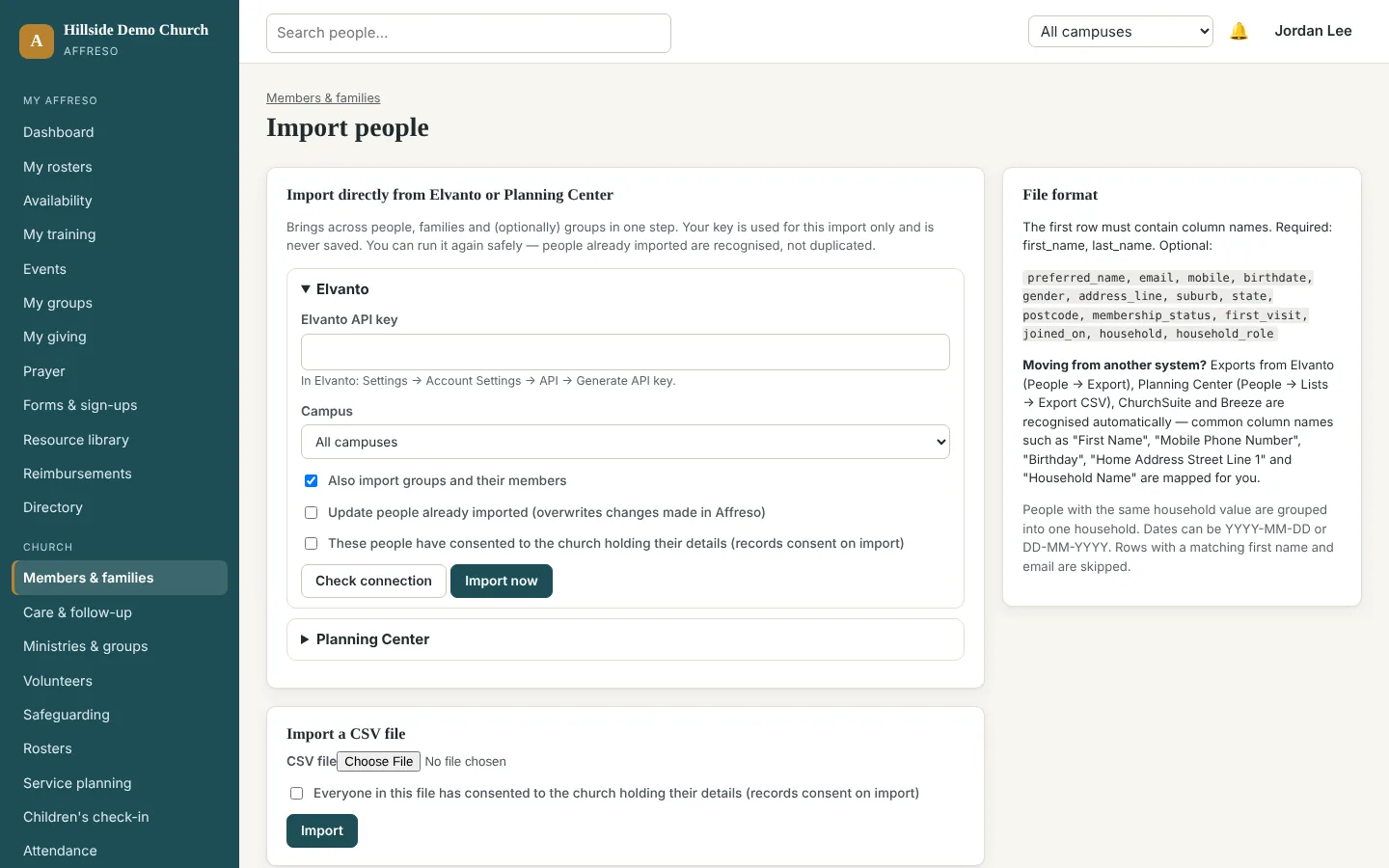
From Elvanto or Planning Center
- Go to Members & families → Import and choose Import directly from Elvanto or Planning Center.
- For Elvanto, paste an API key (Elvanto → Settings → Account Settings → API). For Planning Center, paste a Personal Access Token’s application ID and secret.
- Press Check connection to see how many people, households and groups will come across.
- Tick whether to bring groups and their members too, confirm that people agreed to the church keeping their details, then press Import now.
Your key is used only for this import and never saved. It’s safe to run again later: people already imported are recognised, and you can tick Update people already imported to refresh their details.
From a spreadsheet
- Export your people to CSV from your current system or spreadsheet. The first row must be column names;
first_nameandlast_nameare required. - Upload it under Import a CSV file. Common column names from Elvanto, Planning Center, ChurchSuite and Breeze are recognised automatically.
- People with the same household value are placed in one household. Rows with the same first name and email as someone already in Affreso are skipped.
Something unclear or out of date? Tell us, or try it in the demo.